
Live Minimap, Fullscreen Atlas, Personal Waypoints & Server Places
Paper & Spigot | Minecraft 1.21.9 - 26.3
Know where you are. Remember the places worth returning to.
Give players a minimap while they explore and an interactive atlas when they need the bigger picture. Mark a base, find a server landmark, follow underground discoveries and choose a map layout that feels right.
LIVE TERRAIN | CAVE LAYERS | PERSONAL WAYPOINTS | FULLSCREEN ATLAS
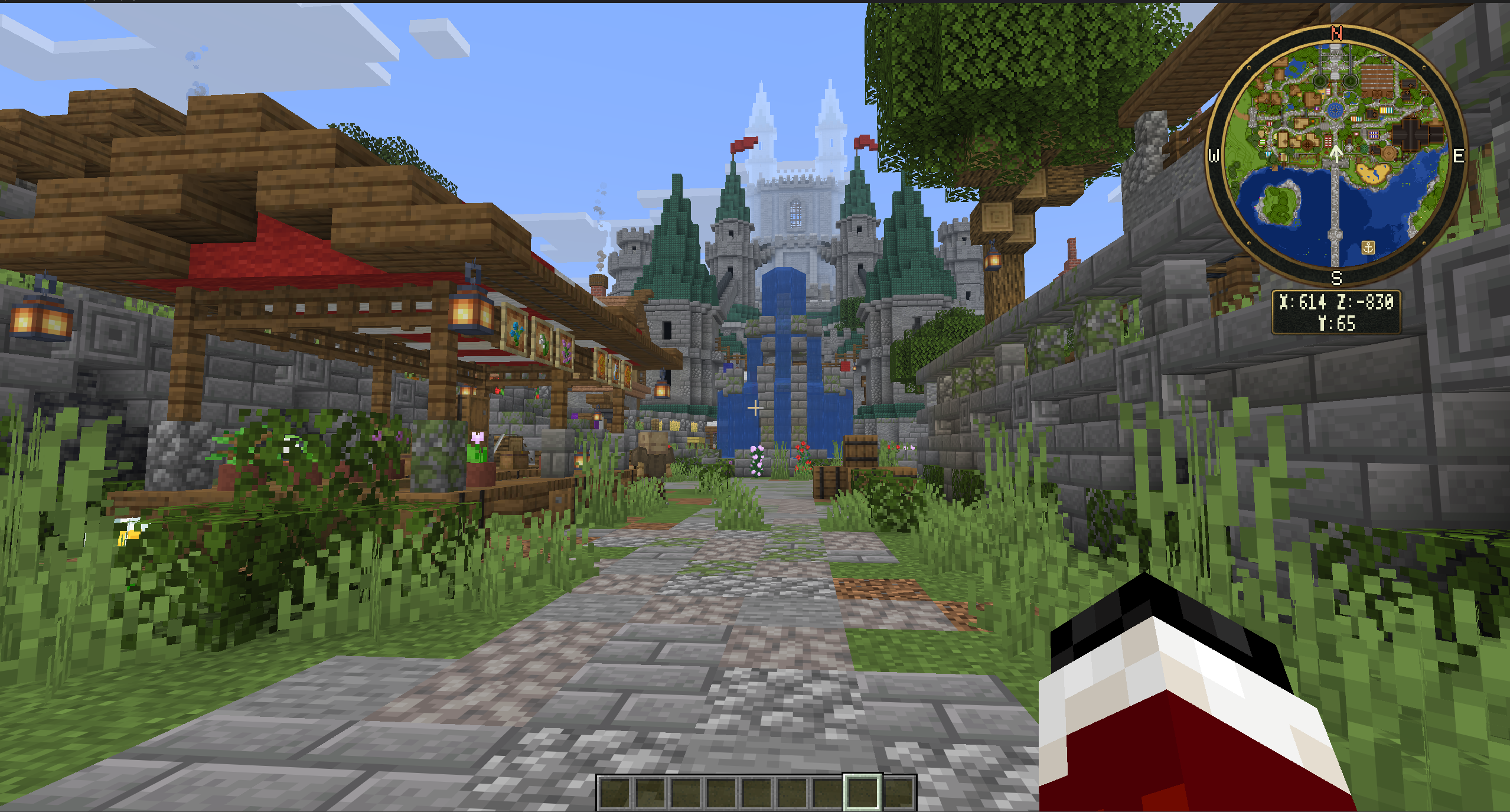
A Map Players Can Make Their Own
Keep a small map in a screen corner or open the atlas to plan a route. Each player saves their own display preferences, zoom levels and personal waypoints.
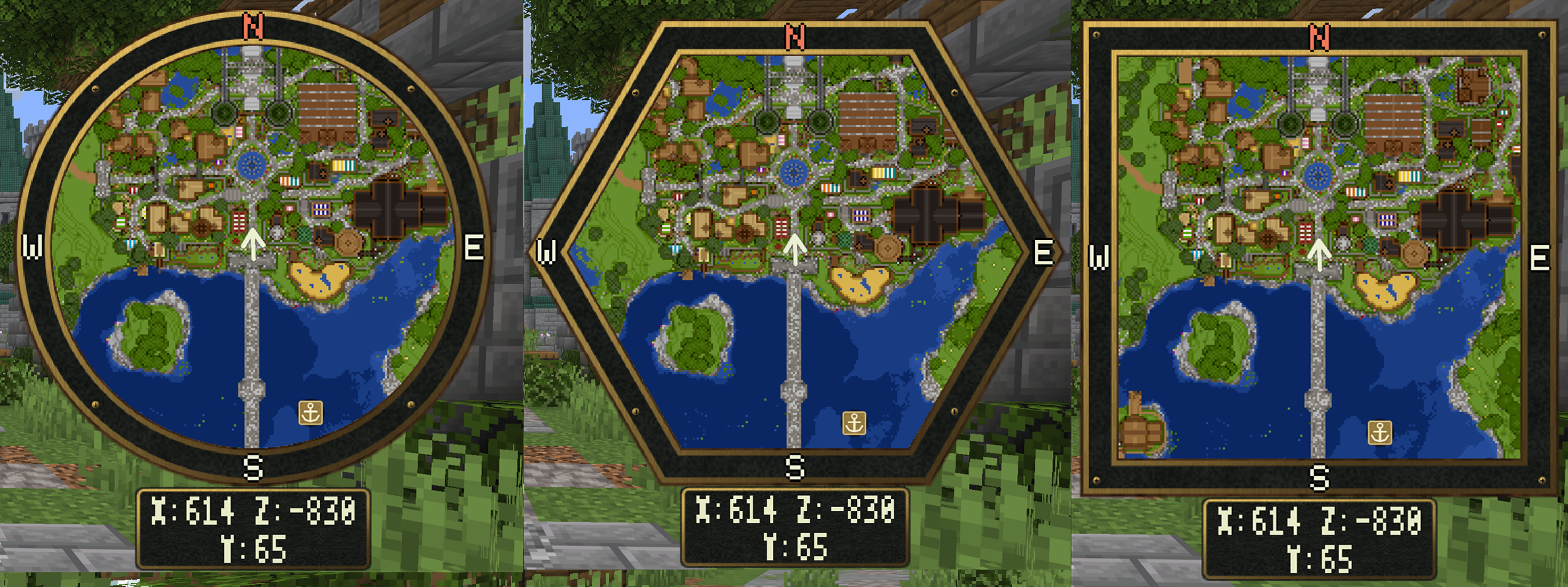
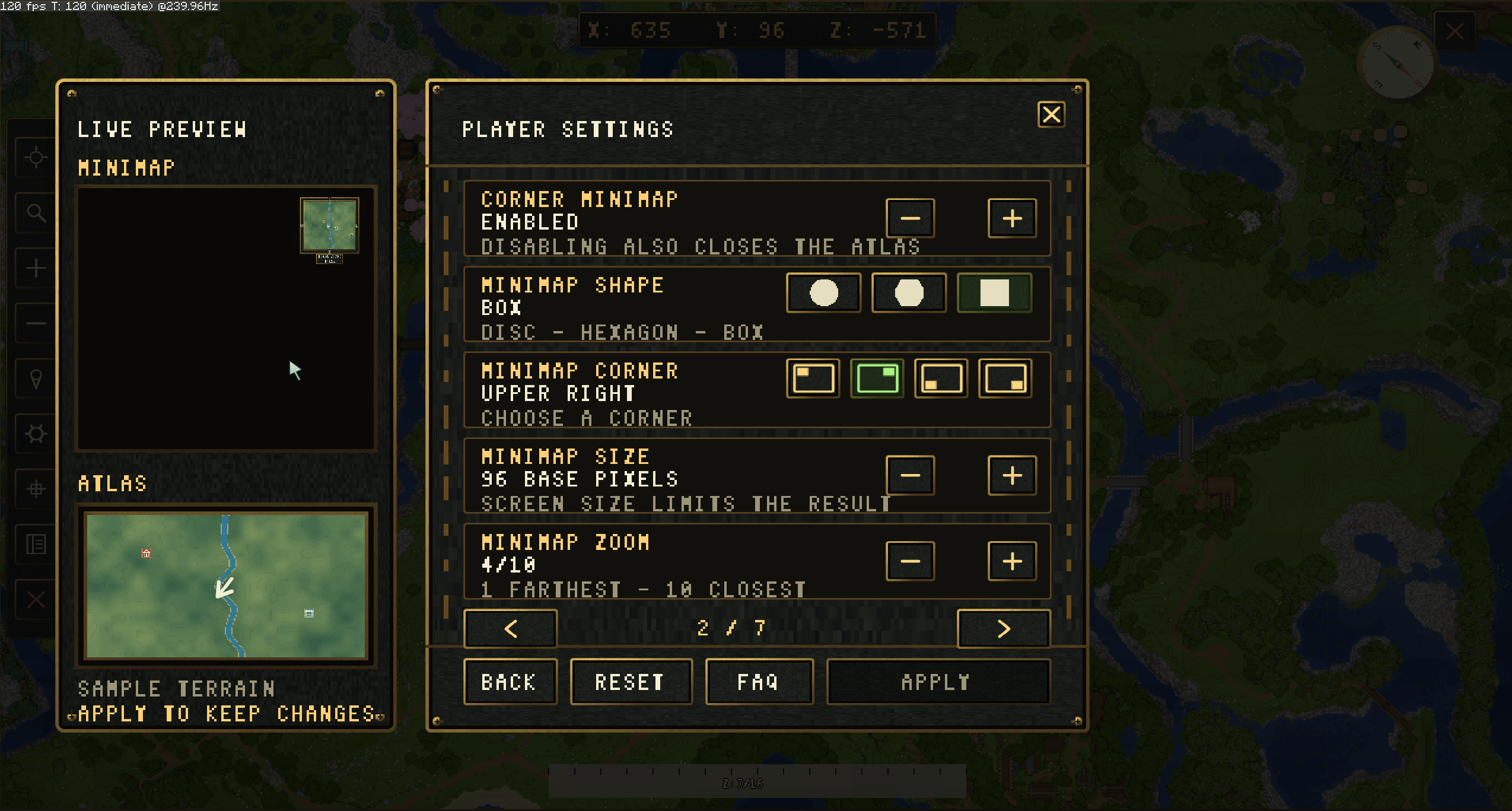
- Three minimap shapes: disc, hexagon and box.
- Four screen corners and adjustable minimap size.
- Independent zoom: 10 minimap levels and 16 atlas levels.
- Eleven player-marker shapes per map, with independent icon choices and sizes for the minimap and full or framed atlas.
- Coordinate controls on the Appearance page: show or hide the minimap panel and choose automatic or fixed width.
- Compass directions, waypoint icons and navigation labels keep useful information close to the map.
- Saved player preferences let everyone keep their own setup.
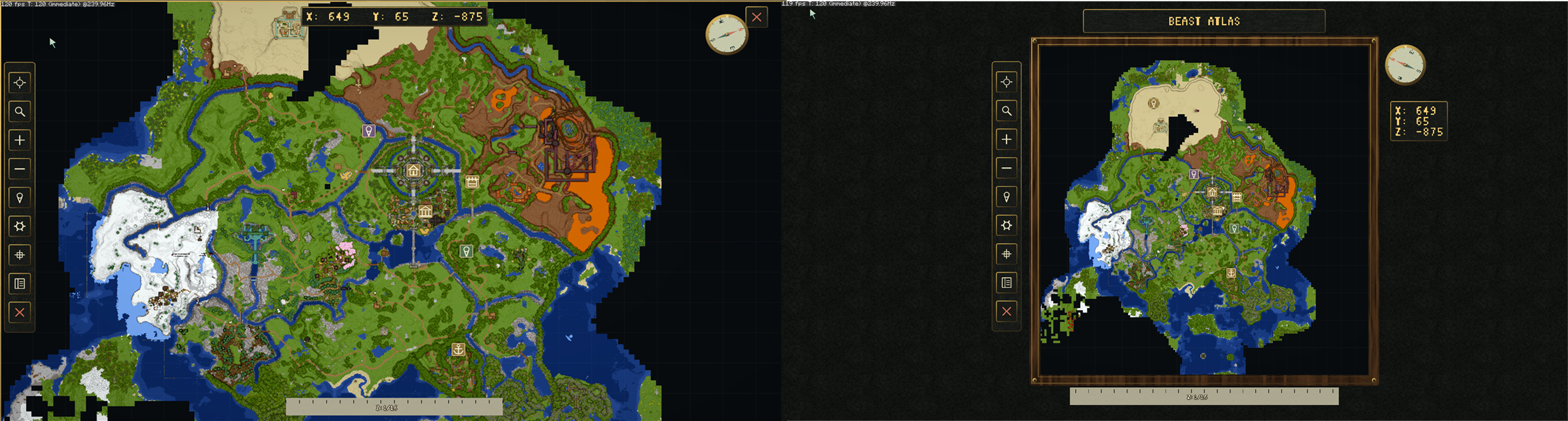
An Interactive Atlas
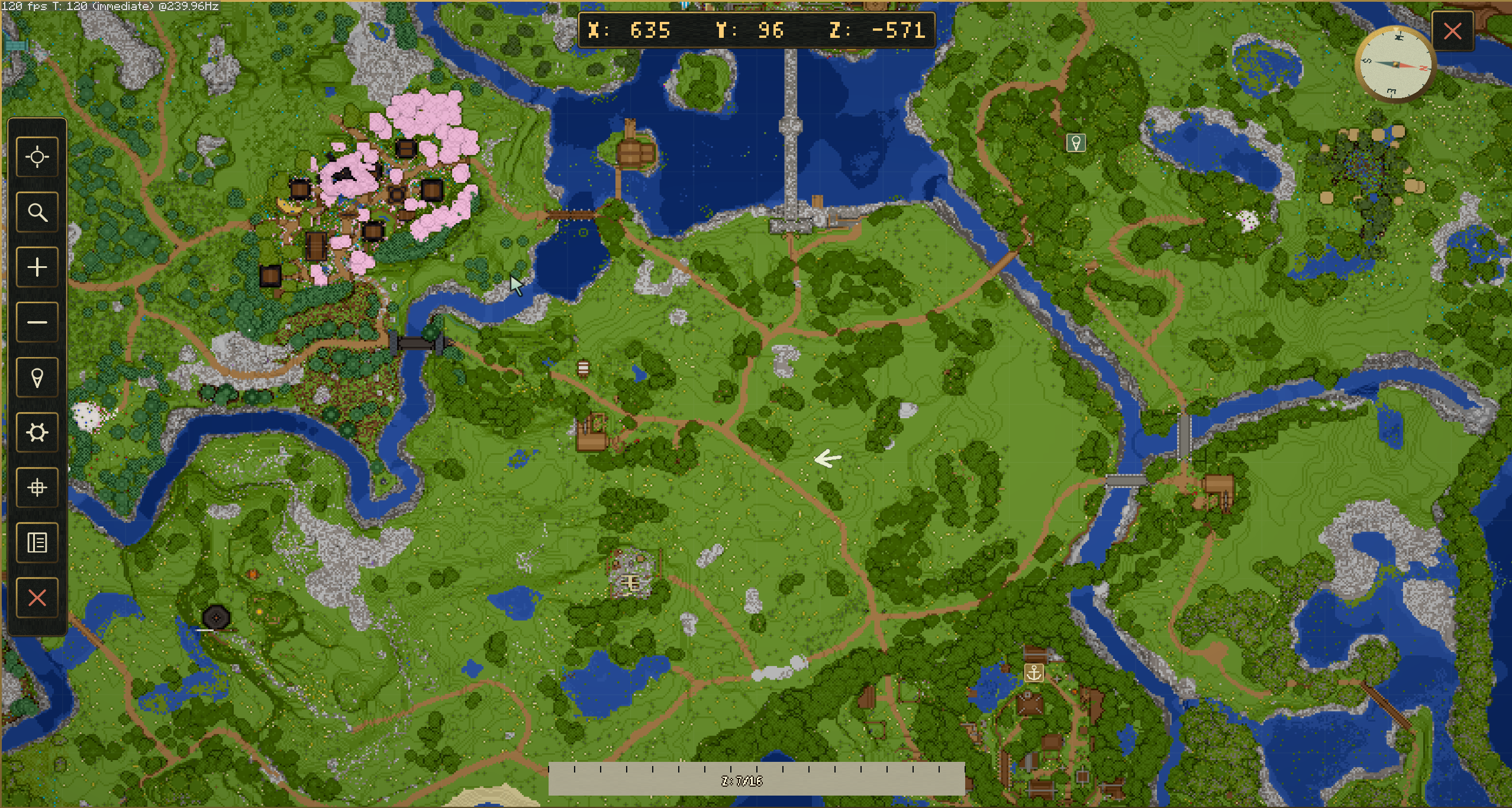
Open /beastminimap for a larger view of the world. Drag to pan, change zoom, browse saved locations and return to your position with Center on Player.
- Choose a fullscreen or framed layout.
- Search server places and browse your personal waypoint journal.
- Right-click a map location to start creating a personal waypoint.
- Toggle an optional map-center crosshair when inspecting a location.
- With the center marker enabled, the coordinate panel shows map-center X/Z. Otherwise, it shows your player X/Y/Z.
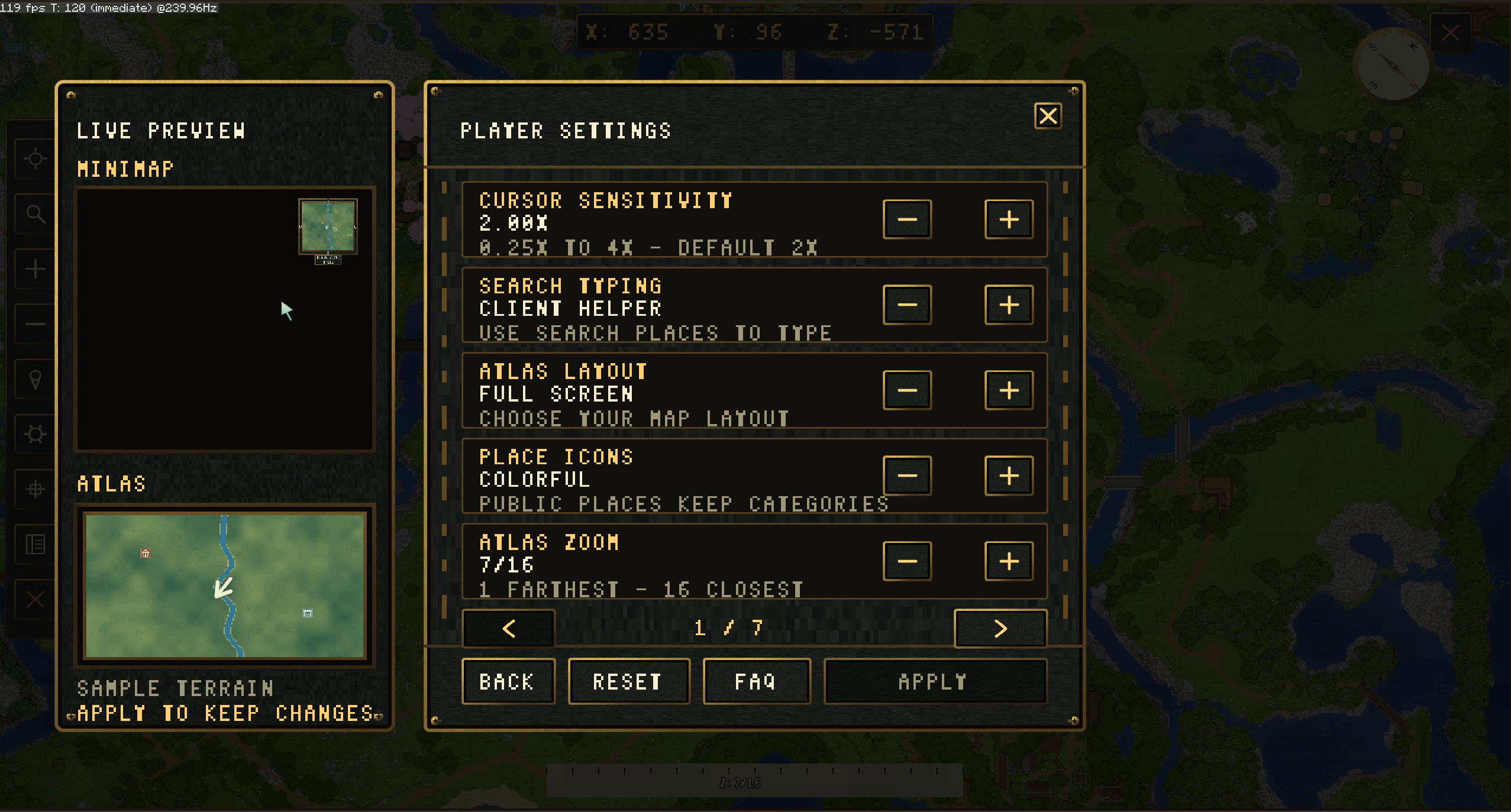
- Choose pointer sensitivity and waypoint icon presentation.
- Use /beastminimap map settings to adjust the map or /beastminimap map faq for controls.
- Customize the opening shortcut when enabled by the server. The default gesture is SNEAK + SPRINT + SWAP_HAND; vanilla input limitations apply.
Personal Waypoints & Shared Server Places
Let players remember their own discoveries while administrators mark the locations everyone should be able to find.
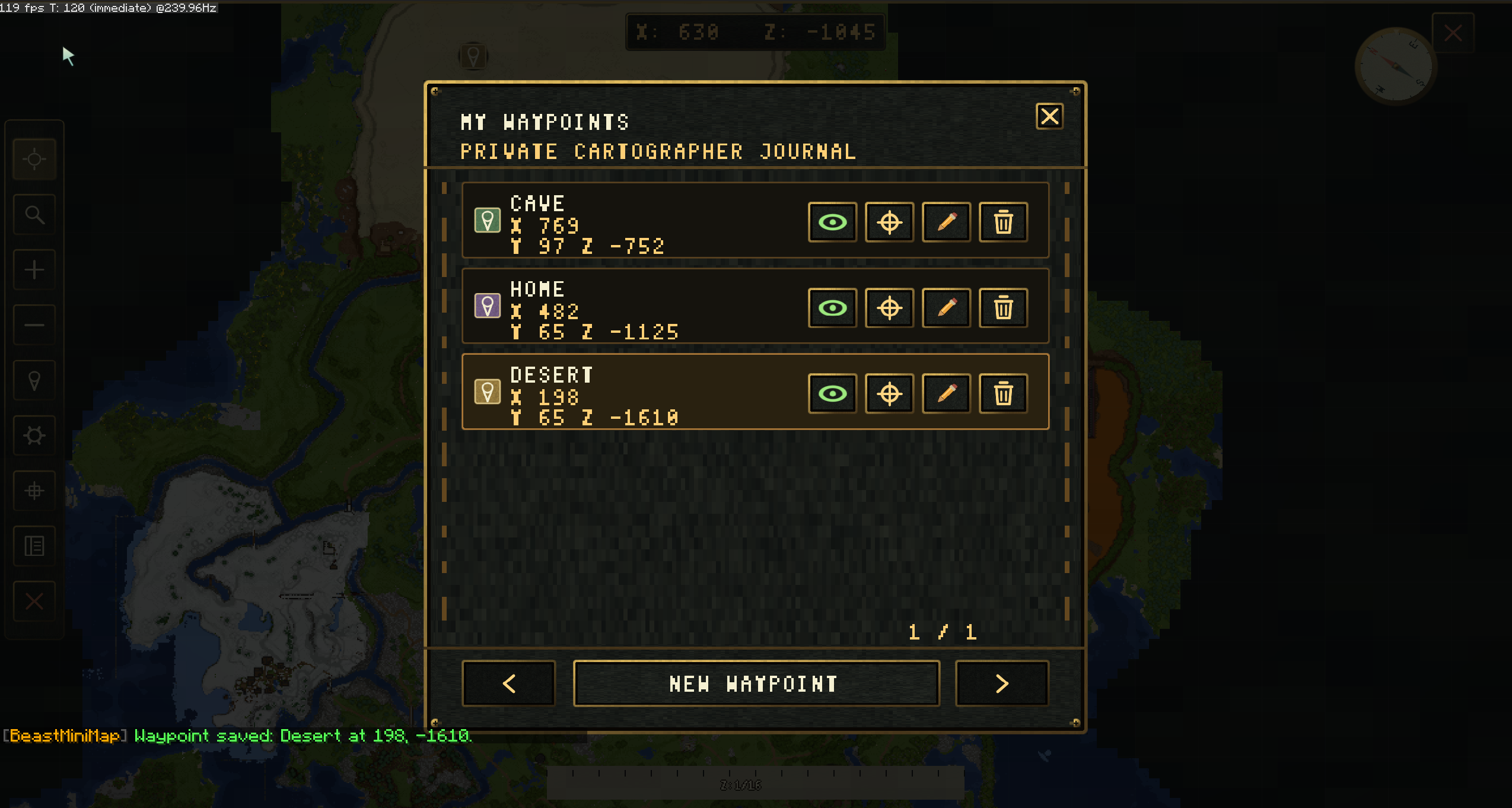
- Personal waypoints: save named locations and manage them from a waypoint journal.
- Navigation labels: identify saved destinations with names and distances.
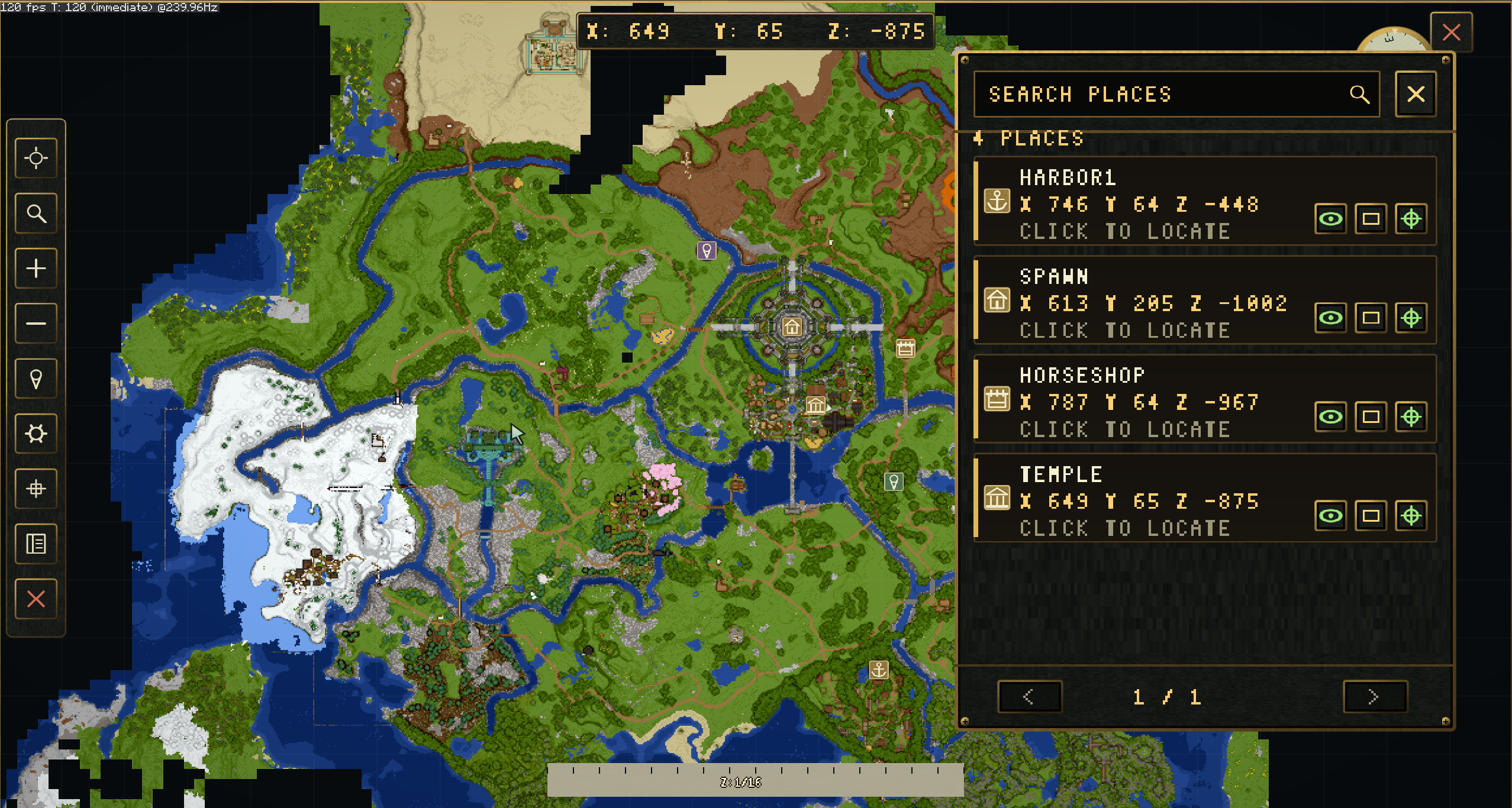
- Server places: publish world-specific landmarks such as markets, houses, dungeons, towers, temples, quests and harbors.
- Search: find published server places by name.
- Separate permissions: players manage personal waypoints; administrators manage shared places.
Surface Exploration & Underground Layers
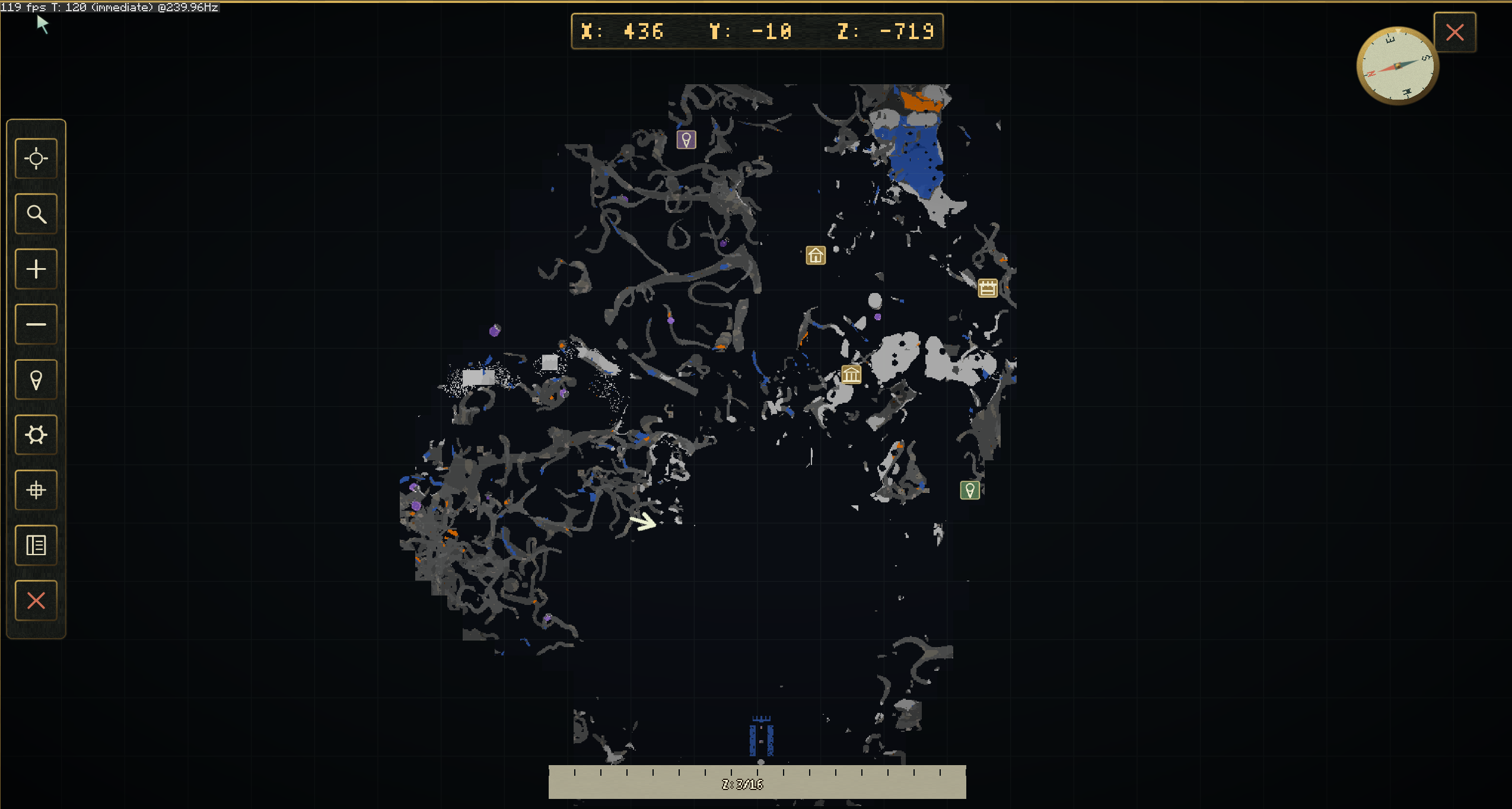
Enable layered terrain for selected worlds to map underground exploration alongside the surface. Players can follow automatic sky-light selection, stay on the surface or select cave presentation.
- Per-player exploration keeps discoveries tied to their owner and world.
- Surface and underground discoveries remain separate. Exploring above ground does not reveal the caves below.
- World-specific terrain sources let a survival world use caves while another world stays on surface terrain.
- Live terrain capture uses already-loaded chunks and does not load or generate chunks just to draw the map.
Code (Text):
/beastminimap world source live_strata world
/beastminimap caves sky_light
/beastminimap caves open_air
/beastminimap caves deep_layers
The first command is an administrator command enabling layered terrain for the named world. The remaining commands are player choices in a layered world.
Terrain Choices For Each World
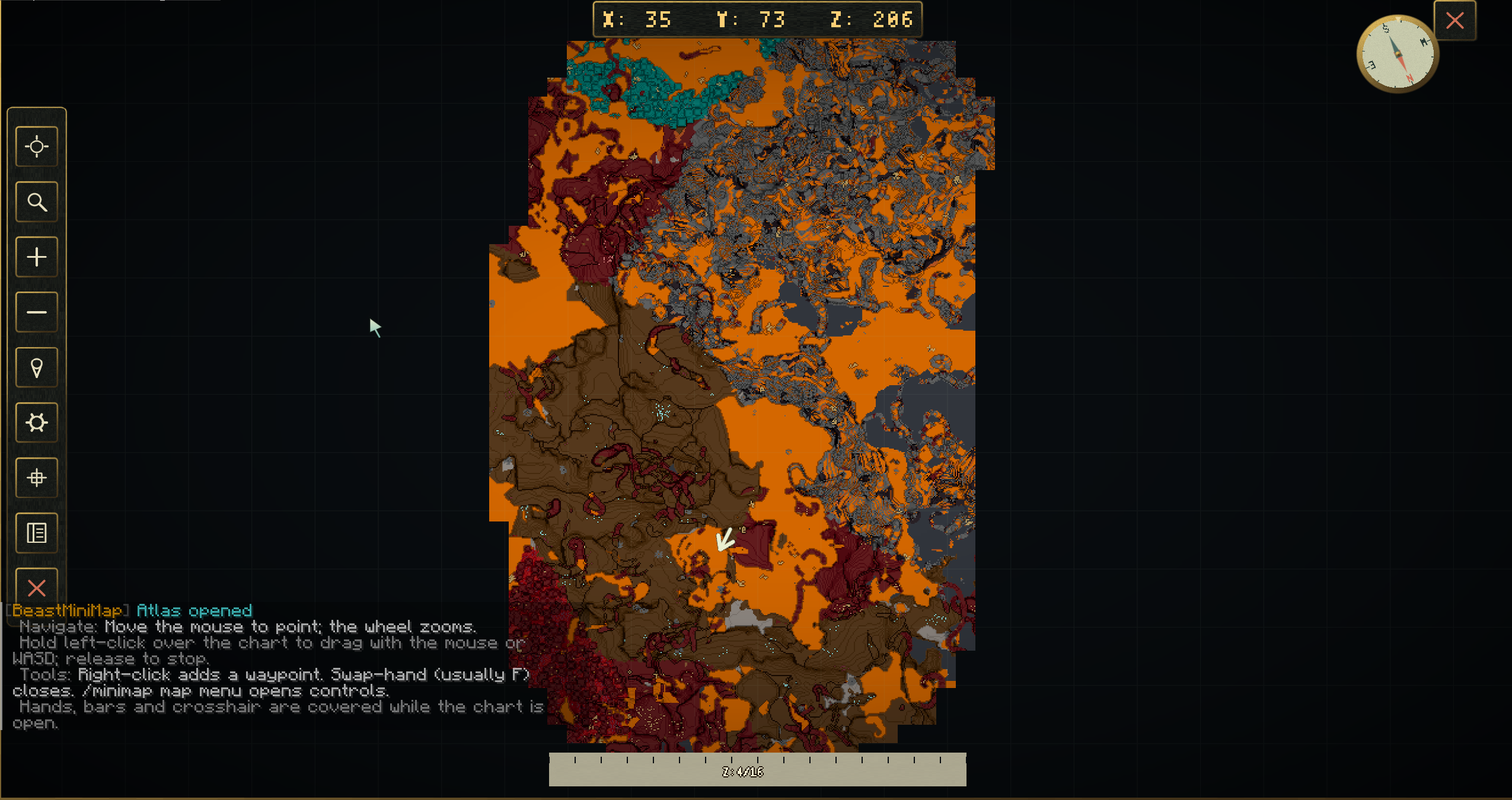
- Live surface terrain: a map of nearby loaded surface terrain.
- Live layered terrain: surface mapping with underground layers.
- Saved world images: render an image from saved region files for worlds that use an image source.
- Separate minimap and atlas detail controls let administrators tune sampling at each zoom level.
- Per-world plant filtering controls which configured small plants are omitted from surface terrain.
Saved world-image rendering runs on workers. Existing rendered images can be reused, and administrators can explicitly request a rebuild.
Settings Players Can See
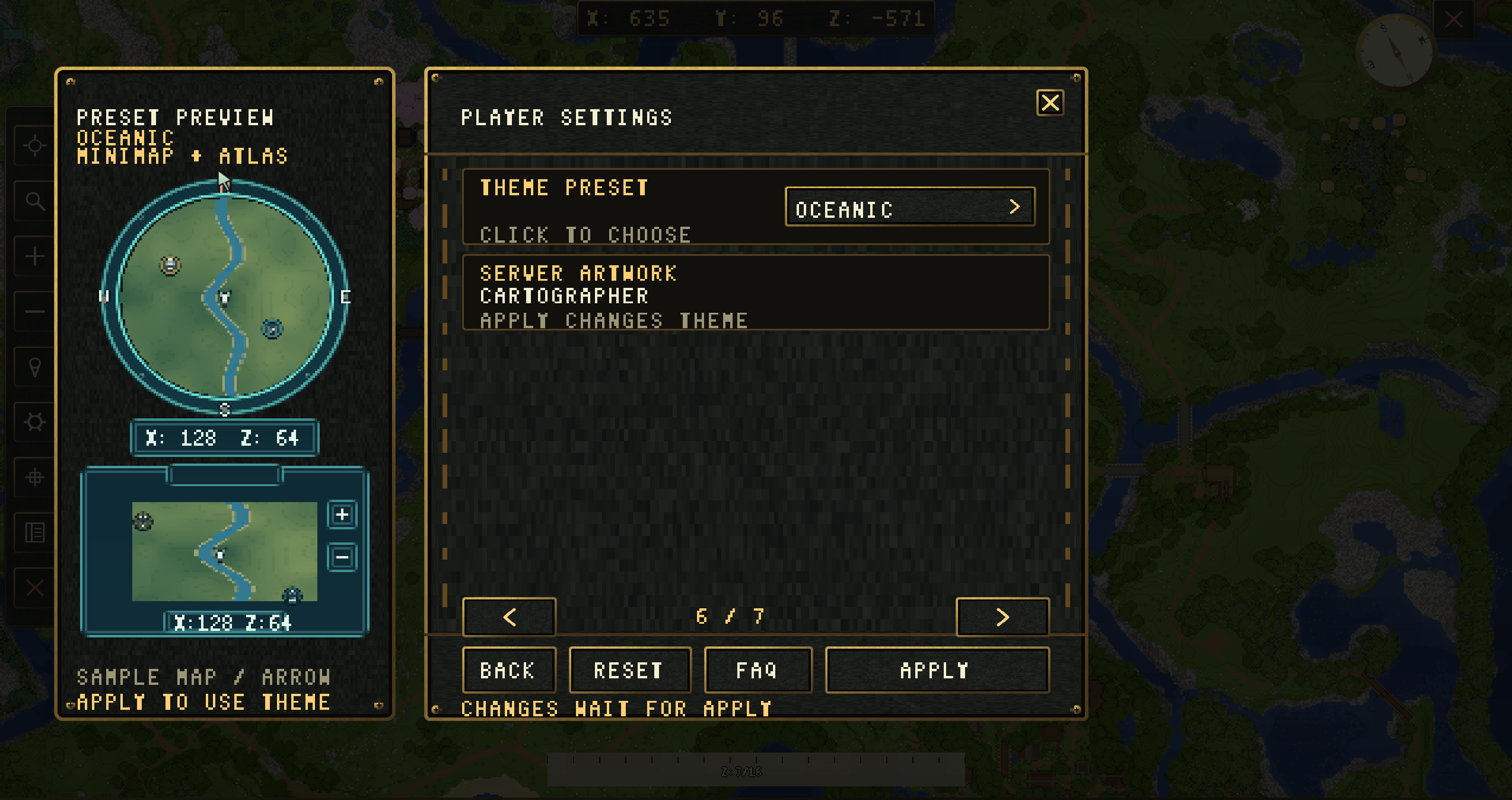
The map includes player settings for shapes, position, size, zoom, markers, icon scale and coordinates. Marker previews help players independently choose each map's position symbol and size before applying changes. Server defaults use Hud.PlayerMarkerShape for the minimap and Atlas.PlayerMarkerShape for the atlas. Existing saved shared shape choices continue on both maps until the player saves separate choices.
The brass-and-cartography interface uses editable bitmap components for panels, buttons, icons and lettering. Server artists can reskin those components using the pack's authoring instructions.
Seven included map presets: Cartographer, Futuristic, Vanilla, Medieval, Minimal Dark, Cartoony and Oceanic. Each preset coordinates menus, minimap frames, compasses, player symbols and place markers, with distinct toolbar artwork and interaction states. All seven are included in each complete version pack. Players can preview and Apply installed themes in Map Settings without downloading the pack again. Administrators choose the server default with /beastminimap theme set <preset>.
The GitHub downloads also provide optional editable theme examples. Extract an example into plugins/BeastMiniMap/Themes/, edit its PNGs and Theme.yml, then enable it and reload. Adding or editing artwork requires players to accept the updated pack. These examples are not required to use the seven built-in presets. Advanced version-matched artwork ZIP overrides belong in plugins/BeastMiniMap/Artwork/. Effective client packs are written to plugins/BeastMiniMap/Packs/Prepared/.
33 Bundled Languages & 17 Optional Downloads
Choose the server-wide language with Options.Language.Settings.File in config.yml, for example de.yml for German, then run /beastminimap reload. English en-US.yml remains the default. Editable translations in plugins/BeastMiniMap/Lang/ cover messages, menus, tooltips and dialogs; updates add missing entries while preserving existing text.
The JAR includes 33 language files: US English and the existing European languages, including Russian and Turkish. Another 17 files are available from GitHub language downloads, including Asian languages, Brazilian Portuguese, other English variants and LOLCAT. Selecting an optional filename downloads only that matching file in the background. Set Options.Language.Settings.AutoDownload: false for manual installation instead. English remains available offline, and customized text is preserved. New translations are machine-assisted and have not received native-speaker review. Chat and native dialogs support Unicode; the compact pixel font does not support every script. Use Atlas.MenuUi: native for unsupported scripts and keep the atlas header in Latin text.
SQLite By Default, MySQL When Needed
- SQLite provides local storage without a separate database server.
- Optional MySQL is configured in storage.yml.
- Player preferences, discoveries, waypoints, server places and map ownership are stored in SQL.
- Player data loads asynchronously on join; database reads and writes run on workers.
- Configuration remains in readable YAML files.


